Replacing the Corporate Logo with an Image
You can replace the default corporate logo with a different image.
|
●
|
The logo image file type can be GIF, PNG, JPG, or JPEG. |
|
●
|
The logo image must have a fixed height of 24 pixels. The width can be up to 199 pixels (default is 145). |
|
●
|
The maximum size of the image file can be 64 Kbytes. |
|
1.
|
Save your new logo image file in a folder on the same PC that you are using to access the device's Web interface. |
|
2.
|
In your browser's URL address field, append the case-sensitive suffix "/AdminPage" to the device's IP address (e.g., http://10.1.229.17/AdminPage). |
|
3.
|
Log in with your credentials; the Admin page appears. |
|
4.
|
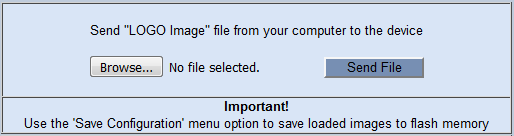
On the left pane, click Image Load to Device; the right pane displays the following: |
|
5.
|
Use the Browse button to select your logo file, and then click Send File; the device loads the file. |
|
6.
|
On the left pane, click Back to Main to exit the Admin page. |
|
7.
|
Reset the device with a save-to-flash for your settings to take effect. |